
FOR ELECTRIC JOURNEYS
Your trip.
Calculated
your way.
More charge before you leave. A little less reserve when you arrive. See how it all adds up.
Rangr is a flexible EV range calculator. Change any field and the connected figures update instantly, so you can find the numbers that work for your journey.

Free for iPhone · iOS 26+
A clearer journey.
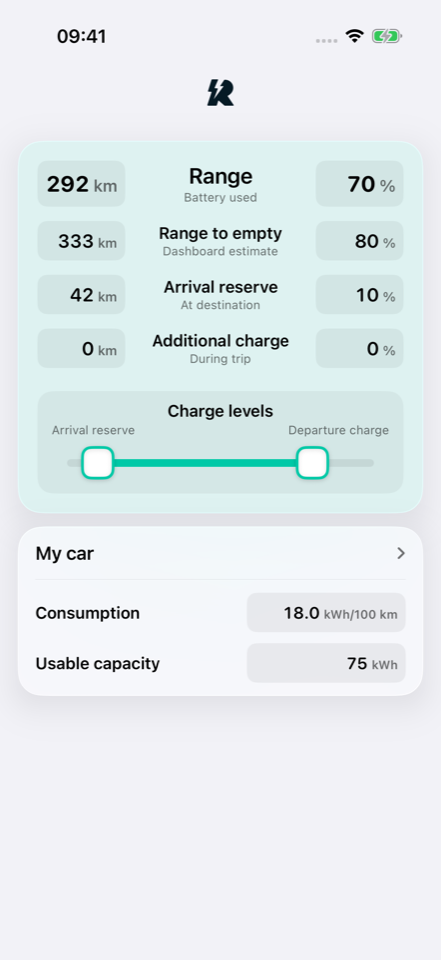
Actual app screen. Your inputs, your estimates.
A CALCULATOR THAT WORKS WITH YOU
Start with the
number you know.
Every field is editable. Distance, battery percentage, charging and reserve all stay connected.
Work out how much charge a longer trip needs. Try leaving with more, or adjust the range you want at your destination. Use the sliders to explore the effect of departure charge and arrival reserve.
- Trip
- Distance or battery used
- Departure
- Charge level or dashboard range
- Arrival
- Reserve in kilometres or percent
- Charging
- Extra charge needed along the way
- Your vehicle
- Usable capacity and consumption
FOR EVERY CAR AND CONFIGURATION
Your cars.
Your setups.
All saved.
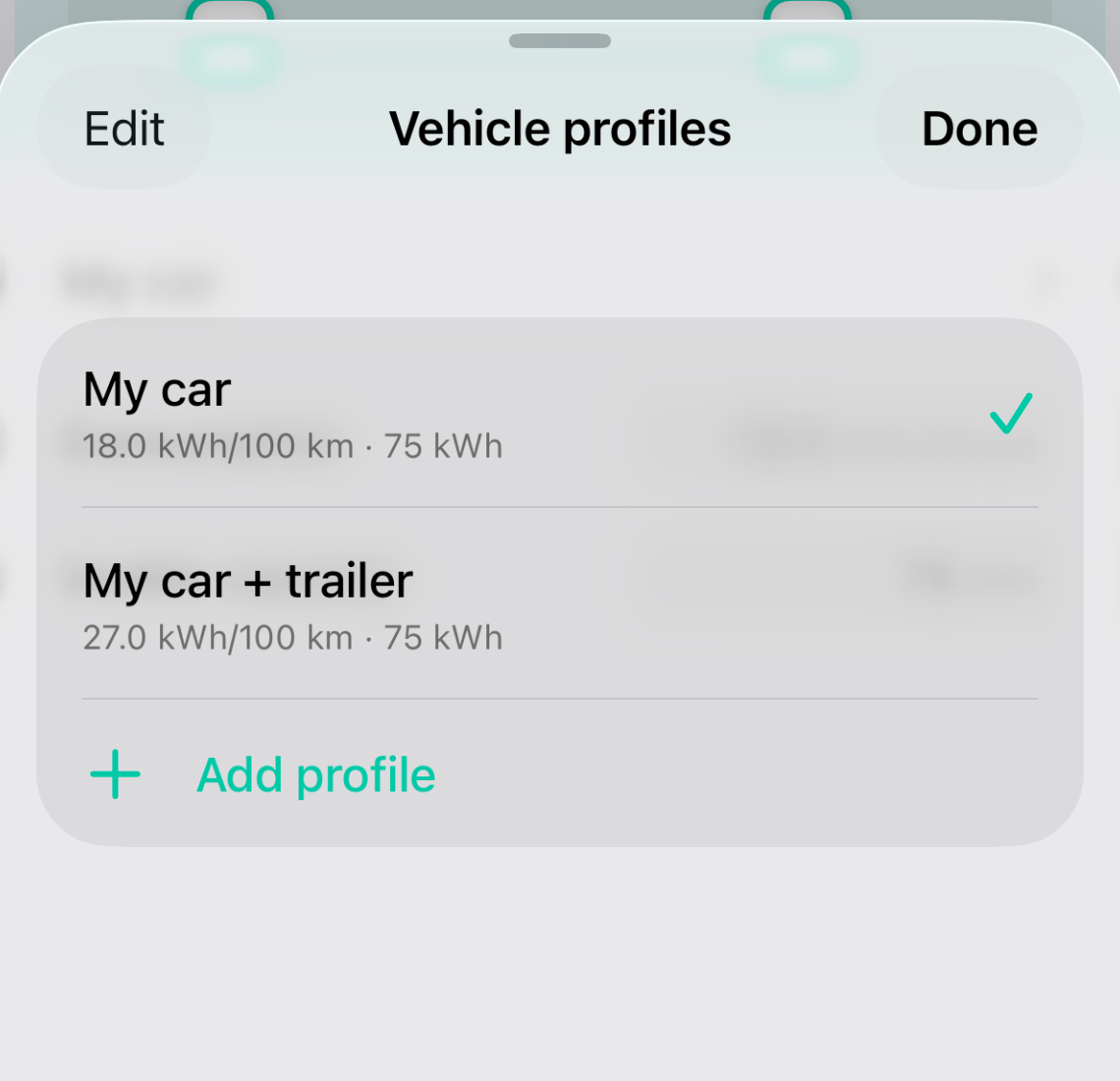
Keep separate profiles for all your cars, and for the different ways you use them.
Save a profile for each electric car. Add more for the same car with a trailer, roof box or other accessories. Every profile keeps its own capacity and consumption, ready to use when you switch.
You choose the consumption for each setup. Rangr calculates from the values you enter.
SEE THE NUMBERS MOVE
From a quick check
to a longer trip.
Change the numbers. Move the sliders.
Then add another car.
Start with a trip calculation and explore your departure charge. Then add another car, adjust its consumption and capacity, and see how much charging the next trip needs.
28 seconds · Actual app footageA HOME FOR THE DETAILS
Support &
privacy.
Help when you need it.
Clarity about your data.
Find answers about the calculator and vehicle profiles, get in touch, or read how Rangr handles your information.